
Hidden Cameras for the Office
Hidden cameras for office use are small, discreet recording devices designed to blend into a typical workplace environment. They're used by business owners, managers, and employees to document activity at a desk, in a shared space, or in an area where a visible camera isn't practical. Most self-contained models record to a built-in SD card and require no network connection or IT setup.
When a Visible Camera Isn't the Right Answer
Most offices already have security cameras at entrances or common areas. But those don't cover everything. A personal workspace, a private office, a storage room, a petty cash drawer — these are the spots where incidents happen and nothing is on record. Sometimes a standard camera draws too much attention, changes behavior, or simply isn't practical to install.
That's the gap these devices fill. They're not elaborate surveillance systems. They're straightforward tools for documenting what happens in a specific space — discreetly, without requiring network access, an IT team, or a complicated setup. If you've had something go missing, if you've had an HR situation you couldn't verify, or if you just want a record of who comes and goes near your desk or files, a small hidden camera is worth understanding.
Top Hidden Cameras for the Office
USB Charger Hidden Camera with Built-In DVR
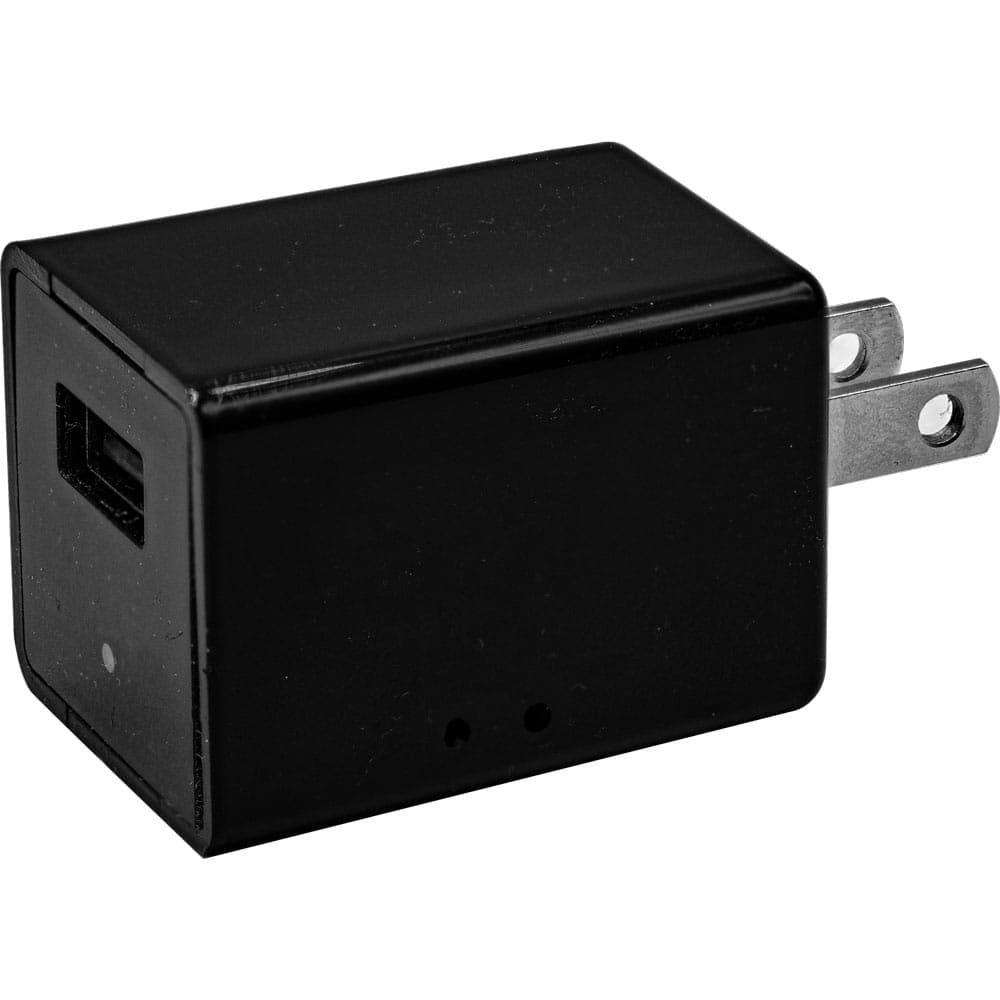
Price: $49.95
This one looks like a standard USB wall charger — the kind that already sits on desks and counters in every office. It plugs into any AC outlet, runs continuously on wall power, and records in 1080p with motion activation or loop recording. For monitoring a fixed area like a desk, reception counter, or storage room, it's one of the least conspicuous options available.
HD Pen Hidden Camera with Built-in DVR
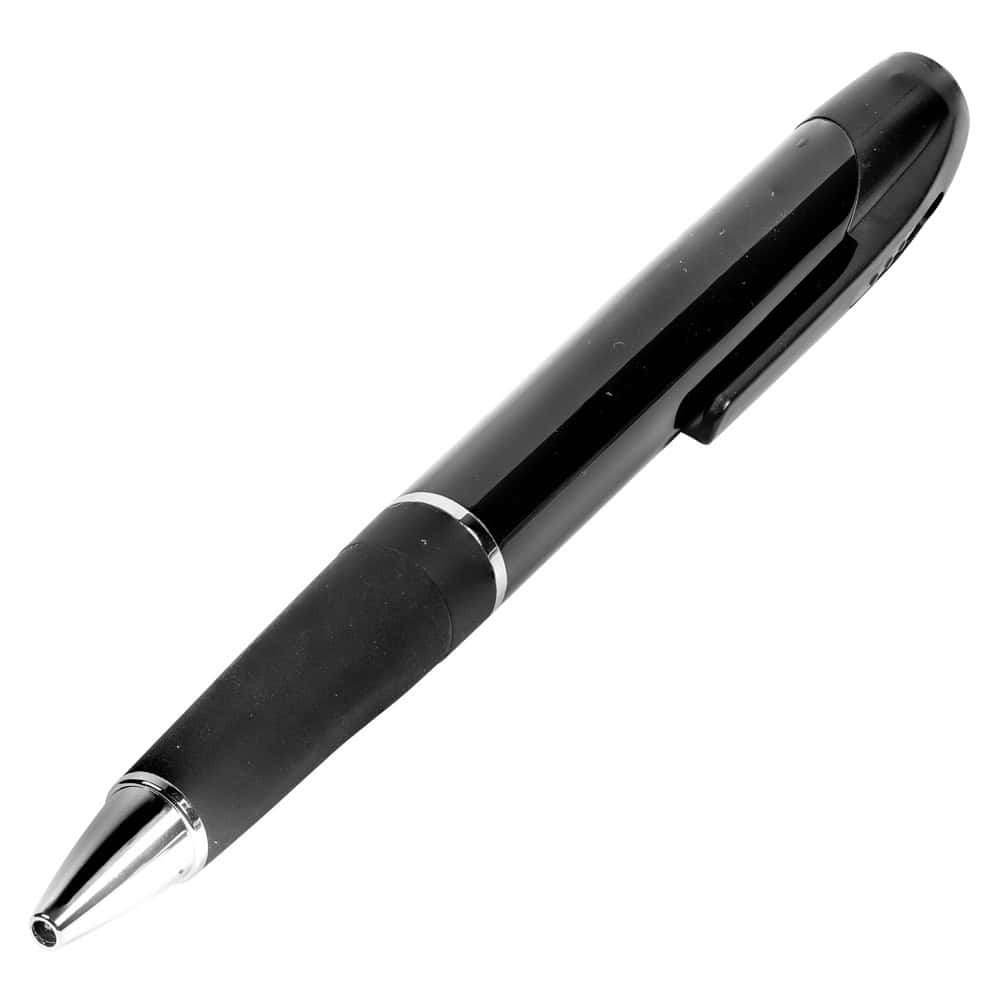
Price: $59.95
A pen sitting on a desk or in a shirt pocket draws no attention — which is exactly the point. This records 1080p video with one-button operation and stores footage on the included 32GB micro SD card. It's a practical option for documenting a meeting, keeping a record at your own workstation, or situations where you need to be mobile. Compatible with both Mac and Windows for easy review.
Mini Hidden Spy Camera with Built-In DVR
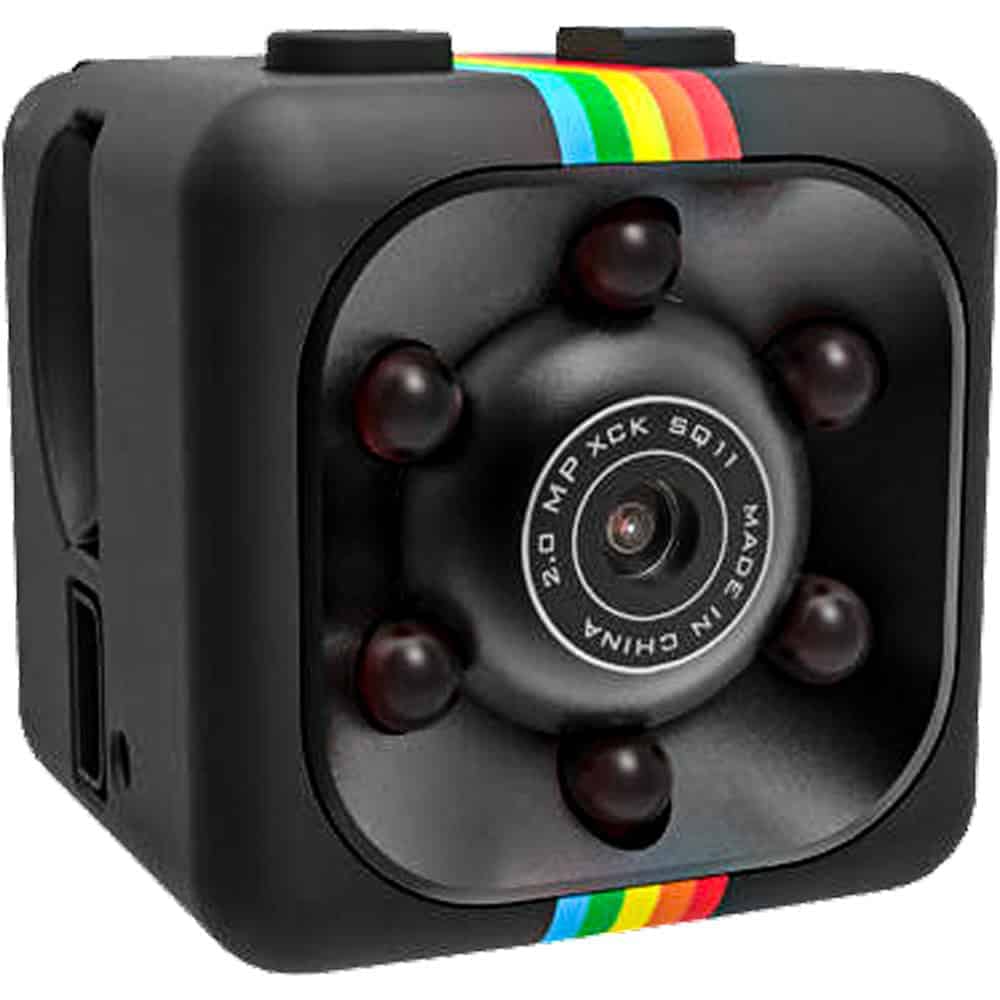
Price: $29.95
This is a compact self-contained unit that can clip to a surface or mount on a wall. Motion-activated recording means it only captures footage when there's activity, which keeps storage manageable and makes review faster. At $29.95, it's the most accessible entry point on this list — a reasonable starting point if you want to monitor a specific area without committing to a larger setup.
HD Eyeglasses Hidden Camera with Built-In DVR

Price: $59.95
For situations that move — a walkthrough, a meeting in someone else's office, a confrontation you anticipate needing on record — a wearable camera covers ground that a stationary device can't. These look like standard eyeglasses, record 1080p at 30fps to the included 32GB internal storage, and operate with a single button. Battery life runs one to two hours, which is enough for most focused recording needs.
What to Look for in a Hidden Camera for Office Use
The right choice depends mostly on what you're trying to document and where. A plug-in device like the USB charger camera is ideal for fixed locations — it runs on continuous power, so there's no battery to manage and no gap in coverage. Battery-powered units like the pen or mini camera offer more placement flexibility, but you'll need to keep an eye on charge and storage capacity. Wearable options make sense when the situation moves with you rather than staying in one place.
Recording resolution matters in an office context — 1080p gives you enough detail to identify faces, read documents in frame, or capture time-stamped activity clearly. All four options on this page record at 1080p, which is adequate for most documentation needs. Motion-activated recording, available on the mini camera and the USB charger model, is worth considering if you want to minimize the footage you have to sort through after the fact.
One practical consideration often overlooked: how you review the footage. Most of these devices transfer via USB to a standard computer, and the included micro SD cards mean you're not dependent on cloud storage or a network connection. That matters in a workplace setting where you may not want footage leaving the building or sitting on a server. Browse the full hidden cameras collection if you want to compare additional form factors or features beyond what's listed here.
Frequently Asked Questions
Is it legal to use a hidden camera in an office?
In most U.S. states, recording video in a workspace is legal as long as there's no expectation of privacy in the area being recorded — common areas, open offices, and workstations generally qualify. Private spaces like restrooms and changing rooms are off-limits everywhere. Audio recording laws are stricter and vary by state. If you're uncertain about your specific situation, consulting a local attorney before recording is always a reasonable step.
Do these cameras require Wi-Fi or a network connection?
No. All four cameras on this page are self-contained units that record directly to an onboard or included micro SD card. There's no app, no Wi-Fi setup, and no dependency on your office network. Footage is reviewed by removing the SD card or connecting the device to a computer via USB. This also means there's no footage being transmitted externally.
How much footage can these cameras store?
Each device on this page includes a 32GB micro SD card. At 1080p and 30fps, 32GB typically holds several hours of continuous footage. Devices with motion-activated recording will store significantly more usable footage over the same period, since they only record when activity is detected. Loop recording, available on the USB charger model, automatically overwrites the oldest footage when the card fills.
Can I use one of these cameras to document a specific incident or meeting?
Yes — that's one of the more common uses. The pen camera and eyeglasses camera are particularly suited to this, since they're portable and inconspicuous in a meeting setting. Both operate with one-button recording. Keep in mind that recording conversations may be subject to consent laws depending on your state, so it's worth understanding those rules before using audio-capable devices in a meeting context.
What's the difference between motion-activated and continuous recording?
Continuous recording captures everything from the moment you start it until the battery dies or storage fills. Motion-activated recording only begins when the camera detects movement, which conserves both battery and storage space. For an unattended office or desk that sees intermittent activity, motion-activated recording is usually more practical. For a situation where you need a complete, unbroken record of a specific time window, continuous recording is the better choice.
Finding the Right Camera for Your Situation
If you have a clear picture of what you're trying to document and where, the choice usually narrows itself down quickly. Start with the USB charger camera if you need something stationary and always-on, or the pen camera if you need something you can carry. The full hidden cameras category has additional options if none of these are quite the right fit.