
Hidden Cameras for Elderly Care
Hidden cameras for elderly care give families a quiet, unobtrusive way to monitor a loved one's well-being at home or in a care setting. They work best as a layer of awareness — not a replacement for attentive caregiving. Look for simple operation, reliable recording, and a form factor that fits naturally in the environment. The four options below are a practical starting point.
When You're Not There and Need to Know Things Are Okay
Most people who come looking for this kind of product aren't looking for surveillance. They're looking for peace of mind. Maybe a parent is living alone and showing early signs of memory loss. Maybe you've hired a home caregiver and something feels slightly off. Maybe a family member is in a memory care facility and you've heard things that concern you. These are real situations, and they deserve a calm, honest look at your options.
A small hidden camera won't solve every problem. But it can give you information you wouldn't otherwise have — footage of a fall, confirmation that medication was given, a clearer picture of how someone is being treated. Used responsibly and legally, that information has real value. The products on this page are designed to blend into everyday environments, record reliably, and stay simple enough that you don't need technical experience to use them.
Top Hidden Cameras for Elderly Care Monitoring
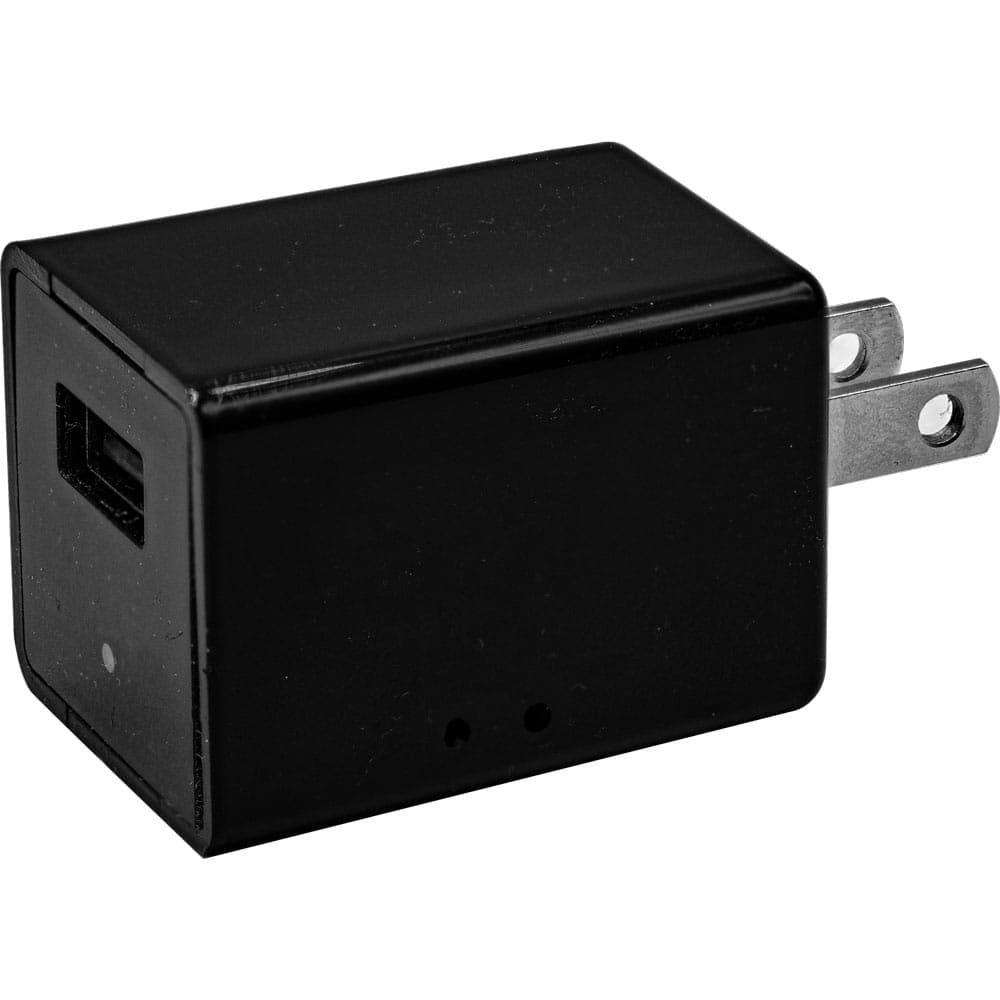
USB Charger Hidden Camera with Built-In DVR
Price: $49.95
This one looks exactly like a phone charger — because it is one. It plugs into any standard outlet in a bedroom, living room, or common area and runs continuously without drawing attention. For monitoring an elderly parent's daily routine or a caregiver's interactions in a common space, it's hard to beat something this unassuming. Motion-activated recording keeps storage manageable, and the included 32GB card means you're ready to go out of the box.
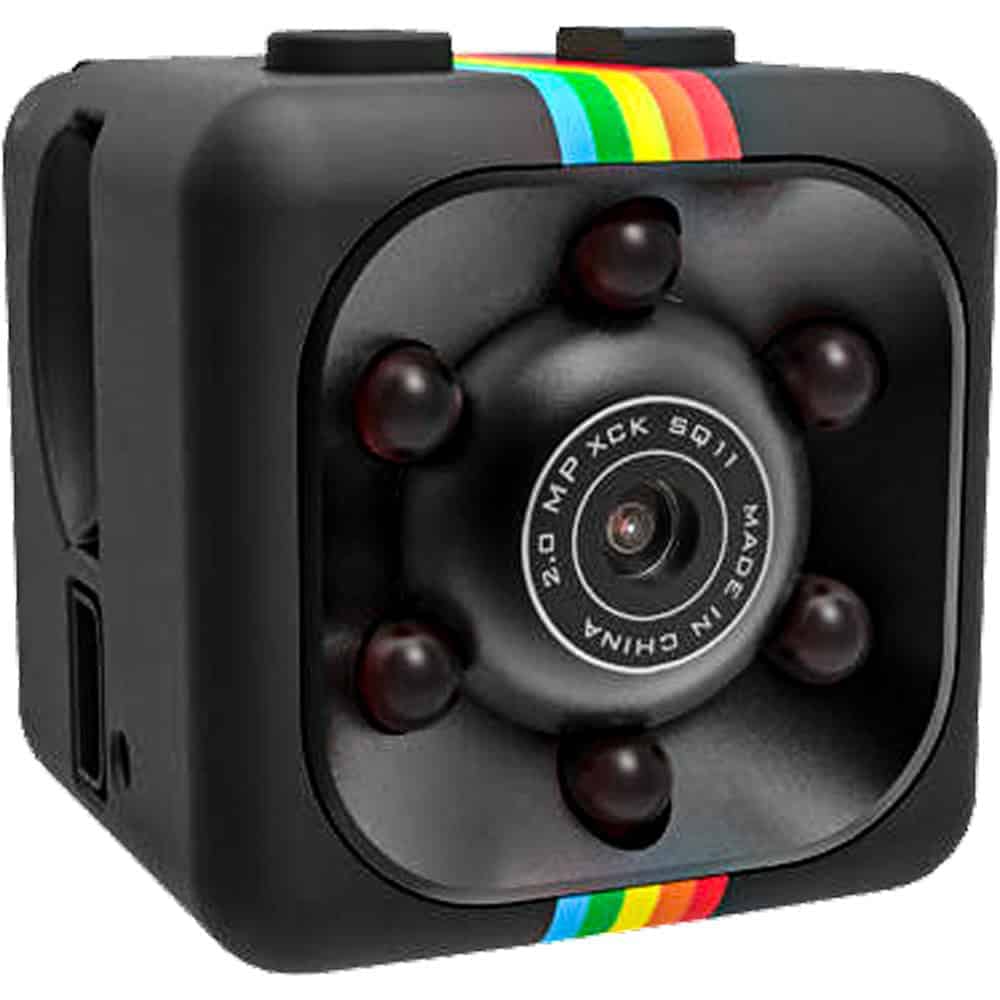
Mini Hidden Spy Camera with Built-In DVR
Price: $29.95
Small, rechargeable, and flexible in how it's positioned — this mini camera can clip to a surface, sit on a shelf, or mount on a wall depending on the situation. Motion-activated recording means it only captures footage when something is actually happening, which is useful when you're checking in on an elderly family member over time rather than reviewing hours of idle footage. At $29.95, it's the most accessible option here for families testing the waters.
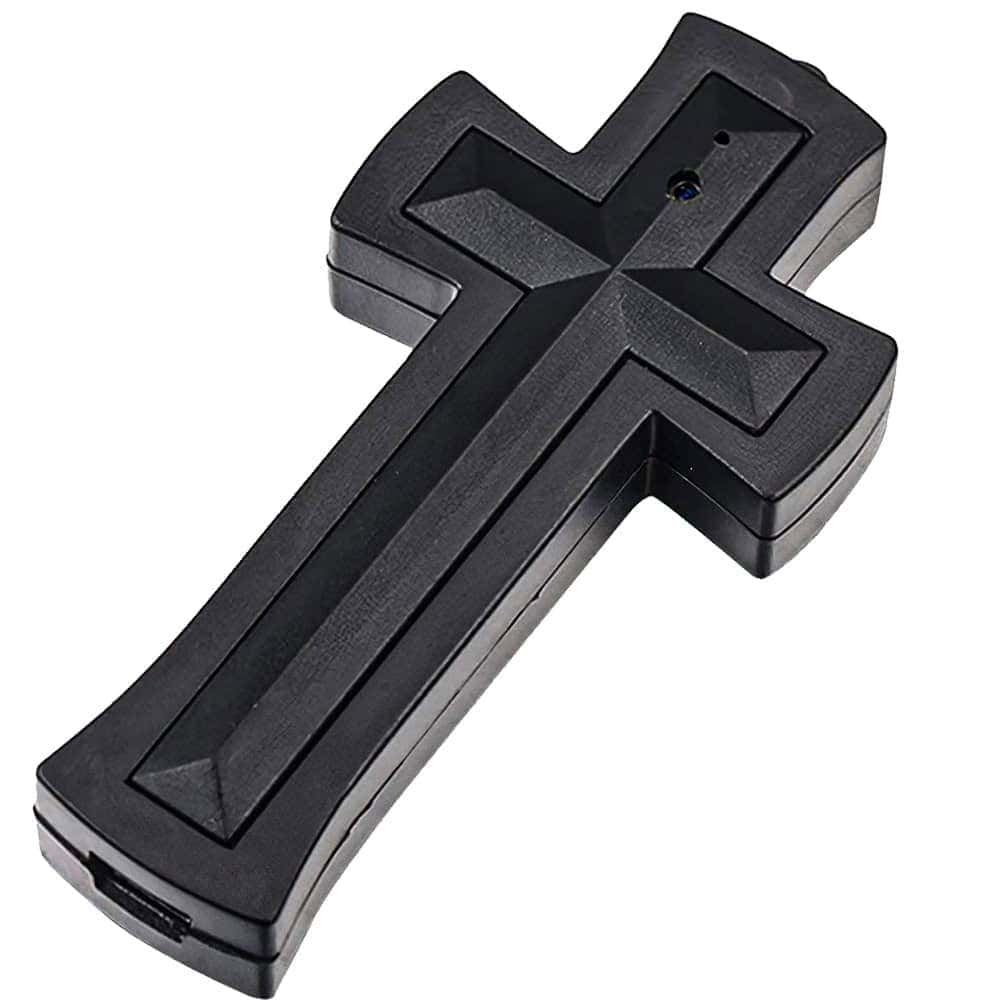
Cross Hidden Spy Camera with Built-In DVR
Price: $59.95
Designed as a wearable necklace, this one functions differently from the others. Rather than monitoring a room, it travels with the person. For an elderly parent who spends time in multiple environments — a facility common room, a medical appointment, a family visit — it can document interactions in a way that a fixed camera simply can't. The cross design blends naturally for many wearers without drawing notice.
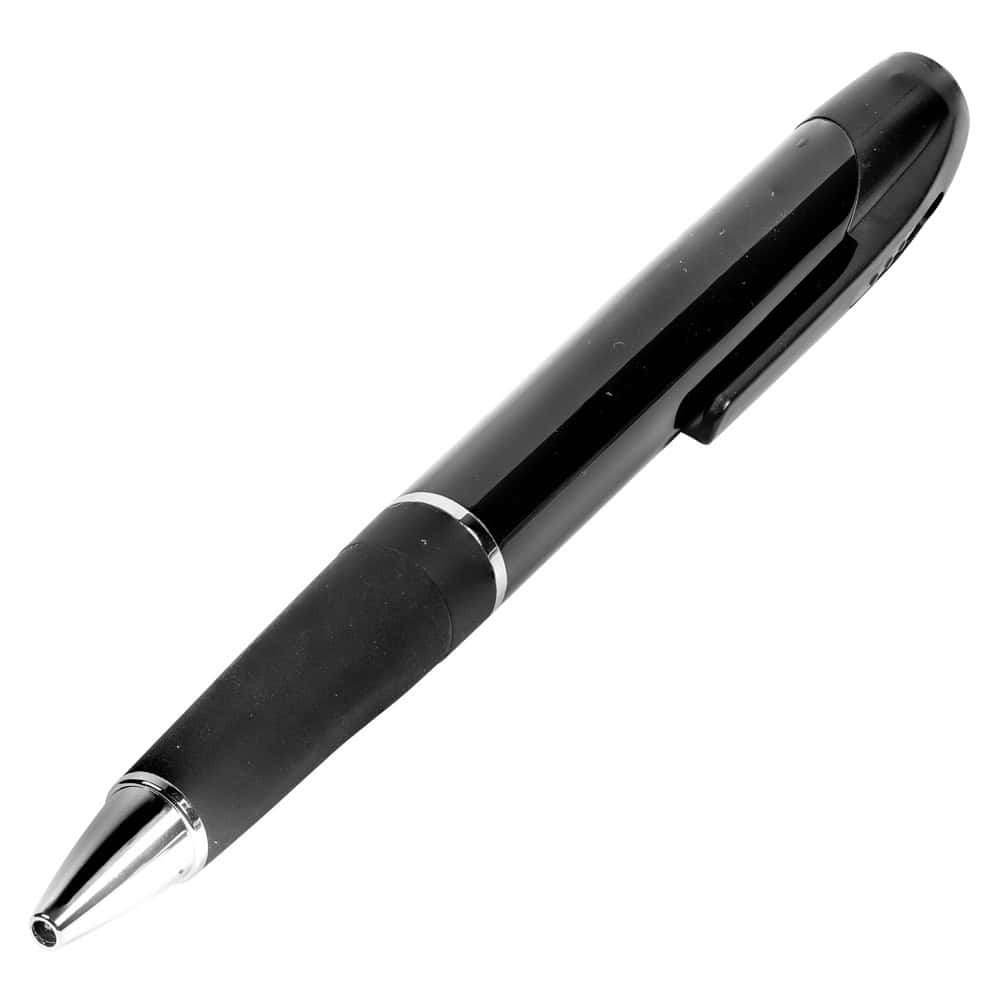
HD Pen Hidden Camera with Built-In DVR
Price: $59.95
A pen sitting on a nightstand or desk doesn't draw a second glance. This model records 1080p video at 30fps with a single button press — straightforward enough that a family member visiting briefly could start a recording without fumbling through settings. It's a reasonable option for care environments where a plug-in device isn't practical or where you want something that can be repositioned easily between visits.
What to Look for in a Hidden Camera for Elderly Care
The right camera for this situation isn't necessarily the one with the most features. It's the one that fits the environment, records reliably, and is simple enough to review without technical frustration. A few things worth thinking through before you decide:
Form factor matters more than spec sheets. A camera that looks out of place will draw attention — from caregivers, from facility staff, from the person you're trying to protect. The USB charger and pen options above work precisely because they disappear into ordinary settings. The wearable cross camera solves a different problem entirely: documenting what happens when your loved one isn't in one fixed location. Match the form factor to the actual environment you're working with.
Think about power and storage before you commit. Battery-powered cameras are flexible but require regular recharging — easy to forget, and a dead battery means gaps in footage when you might need it most. Plug-in cameras like the USB charger option eliminate that concern entirely. On the storage side, motion-activated recording is your friend in elderly care settings: it captures the moments that matter without filling a card with hours of an empty room. All four options here include internal storage or a micro SD card, so you're not dependent on a Wi-Fi connection or a cloud subscription to review footage. Browse the full hidden cameras collection if you want to compare additional options by form factor or recording method.
Frequently Asked Questions
Is it legal to use a hidden camera to monitor an elderly parent or a caregiver?
Laws vary by state and situation. In most states, recording video in a private residence you own or have authorization to monitor is legal. Recording in a care facility — such as a nursing home or assisted living — is governed by specific state laws, sometimes called "granny cam" laws, which may require disclosure to staff or facility management. Audio recording is governed separately and is more restrictive in many states. Check your state's current statutes before placing any camera in a shared or commercial care environment.
Do these cameras require Wi-Fi or a smartphone app?
None of the cameras featured on this page require Wi-Fi or an app. They record locally to internal memory or a micro SD card. You review footage by connecting the camera to a computer via USB or removing the memory card. This is actually an advantage in many elderly care situations — no network dependency, no subscription fees, and no footage stored on a third-party server.
How long will these cameras record before running out of storage?
Storage capacity depends on video resolution and whether motion activation is enabled. With a 32GB card and motion-activated recording at 1080p, most of these cameras can store several days to over a week of triggered clips before the card fills. Loop recording — available on the USB charger model — automatically overwrites the oldest footage when the card is full, which is useful if you're monitoring continuously and only need recent footage on hand.
Should I tell the caregiver a camera is present?
This is a personal and sometimes legal decision. In a private home, you generally aren't required to disclose a camera to a caregiver, though some employment contracts or agency agreements may address this. In some states, disclosure is required in care facilities. Beyond legality, some families find that disclosing the presence of a camera — without specifying its exact location — is enough to change behavior and reduce concern without compromising monitoring. There's no single right answer here.
What's the difference between a wearable camera and a room camera for this use case?
A room camera documents what happens in one fixed space — useful for monitoring a bedroom, common area, or entry point consistently. A wearable camera travels with the person, capturing interactions across multiple locations. If your concern is what happens during transport, at appointments, or in shared facility spaces, a wearable like the cross necklace camera covers situations a fixed device cannot. Many families use both approaches depending on the specific concern they're trying to address.
Ready to Choose a Camera for Your Situation?
If you've read through this page, you already have a clearer picture of what you're looking for. The USB charger camera is a reliable starting point for most in-home situations — it's unobtrusive, always powered, and simple to use. If you want to compare additional options or see more form factors, the full hidden cameras collection is a good place to continue.